
Ui Testing
Now we've coded the update task endpoint, let's test this feature in the UI.
Let's head over to http://localhost:3000 in our browser.
Update a Task
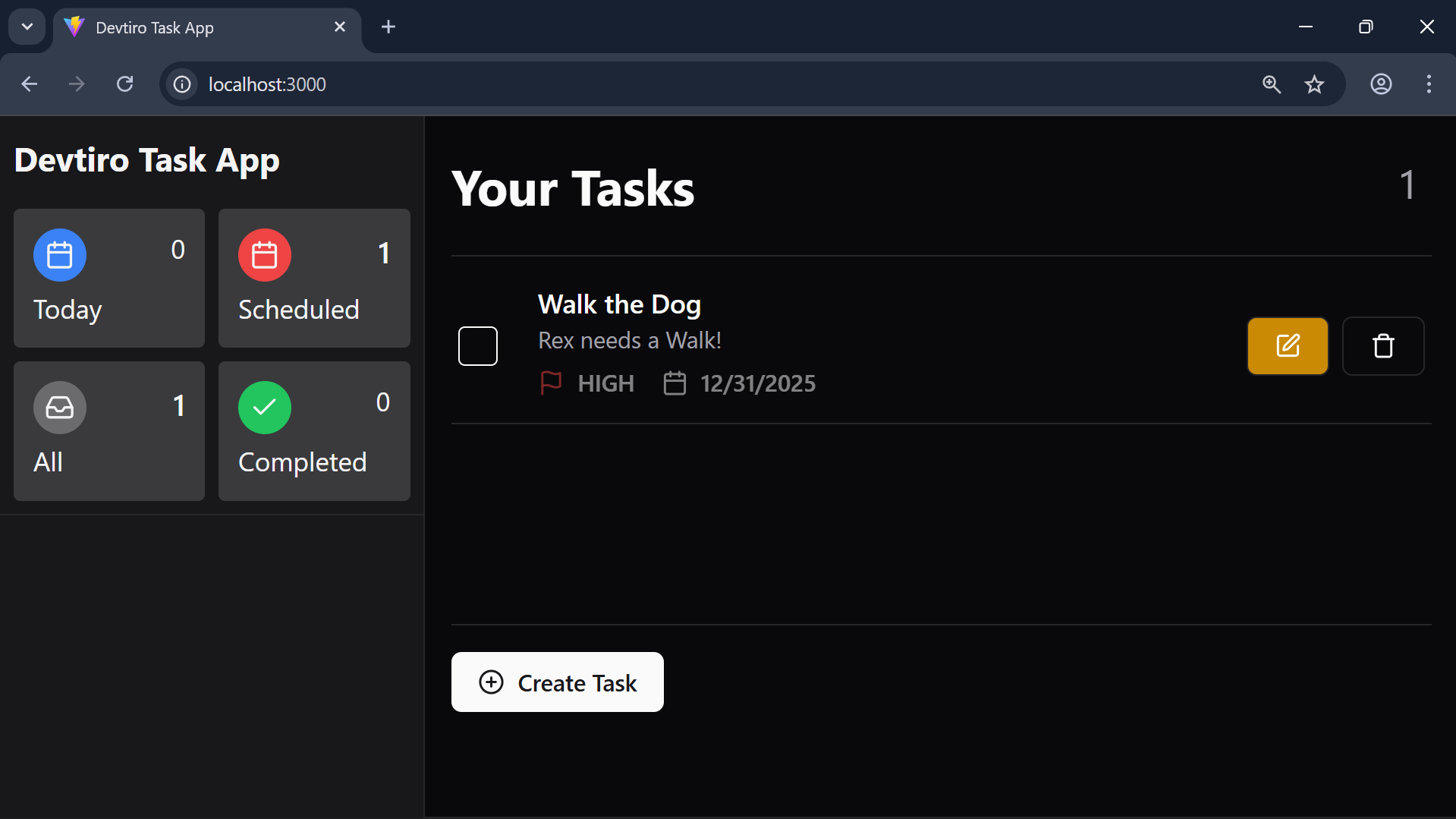
- Click the edit button on the task you wish to edit. This brings up a dialog to edit the existing task.
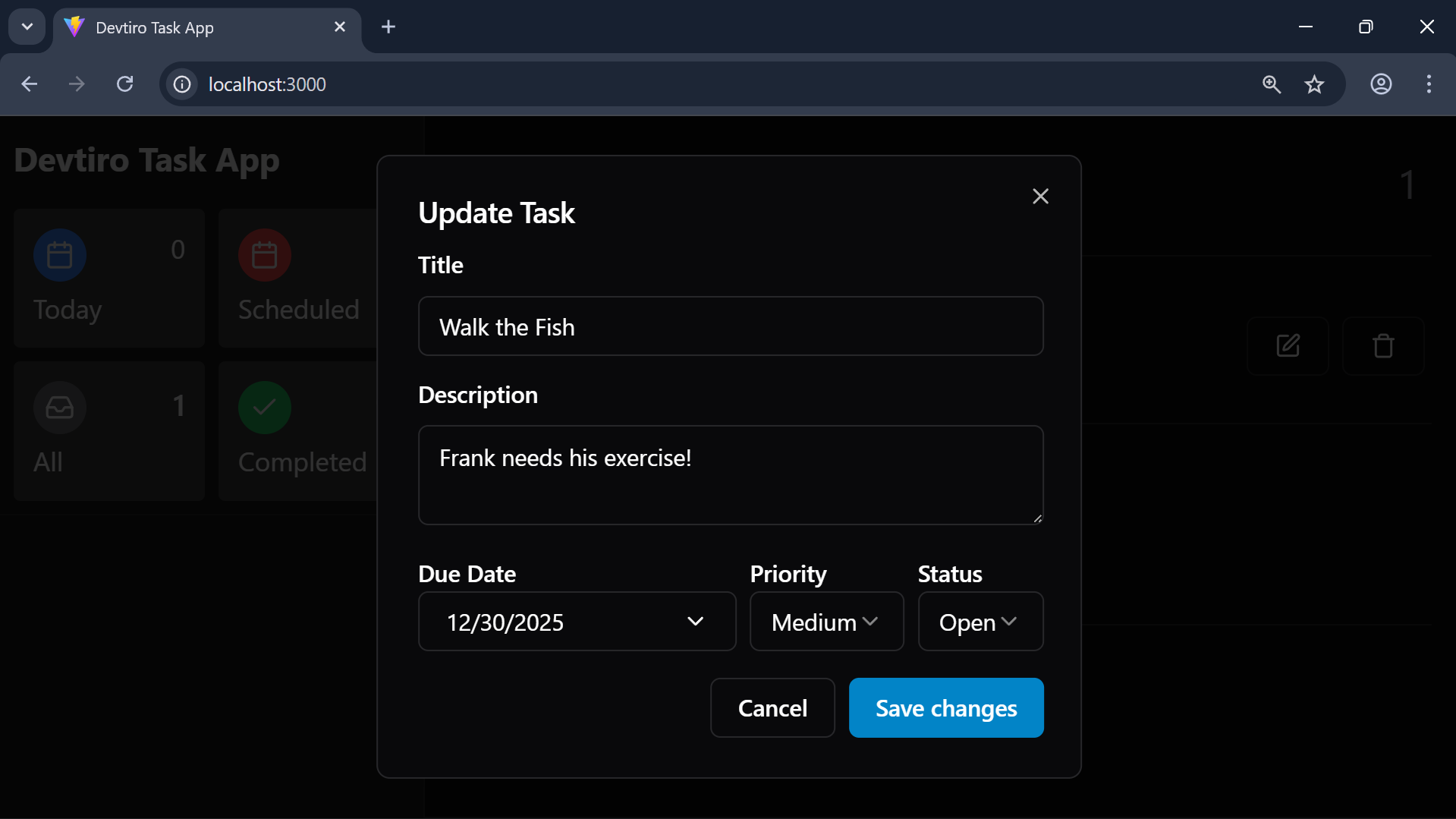
- You'll see all the task's existing details. Edit each field. Click the "Save Changes" button.
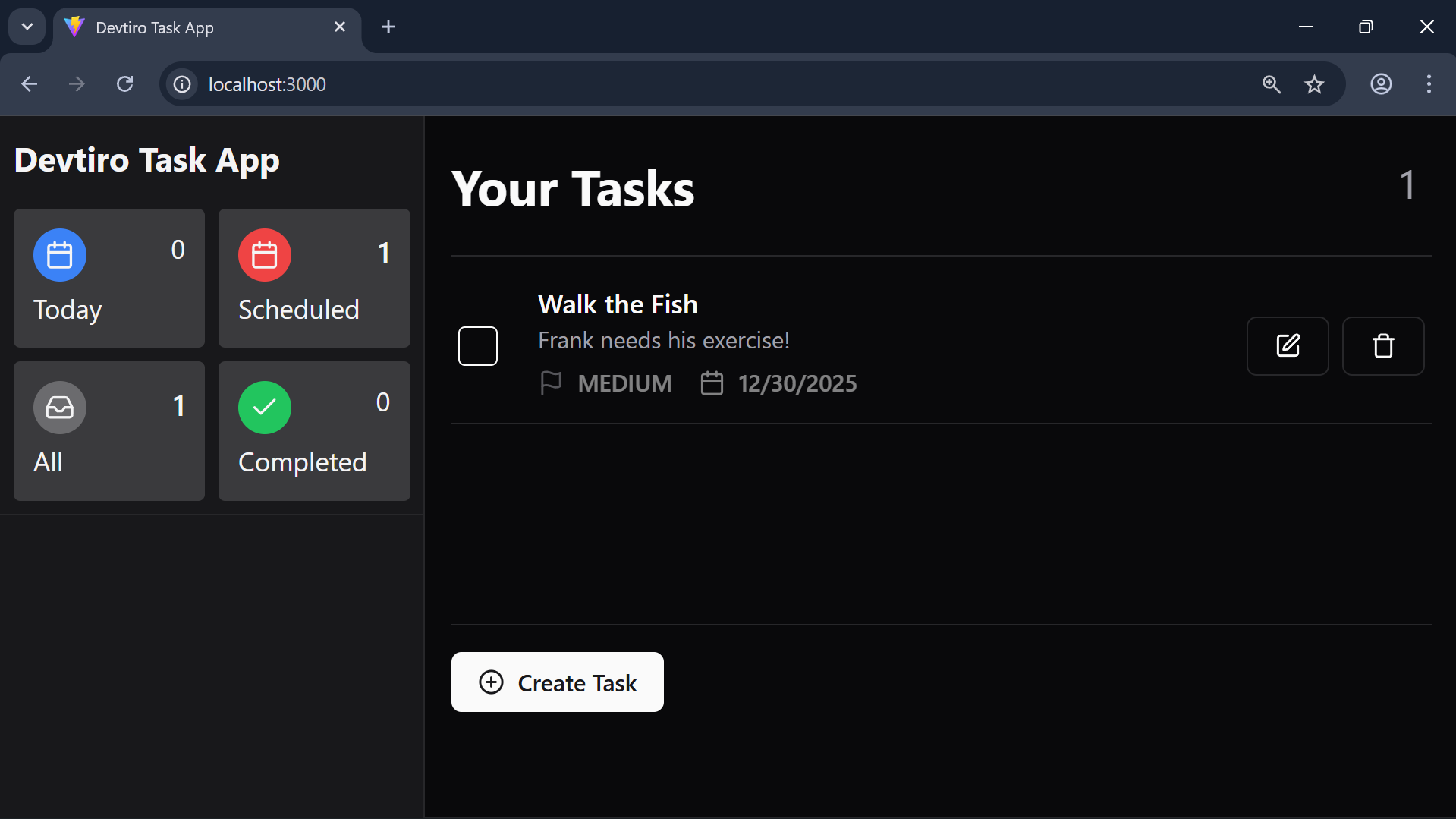
- You'll see the updated task in the task list.
Summary
- Updated a task using the UI.
