
Architecture Overview
How's the app built? What are the components? How do they fit together?
Great questions, let's answer them.
High-Level Architecture
This is a beginner-friendly build, and it has the architecture to match.
The app has two main components:
- The Spring Boot app
- The User Interface, or "UI"
The user interacts with the UI in their browser. The UI interacts with the Spring Boot app by making calls to its REST API.
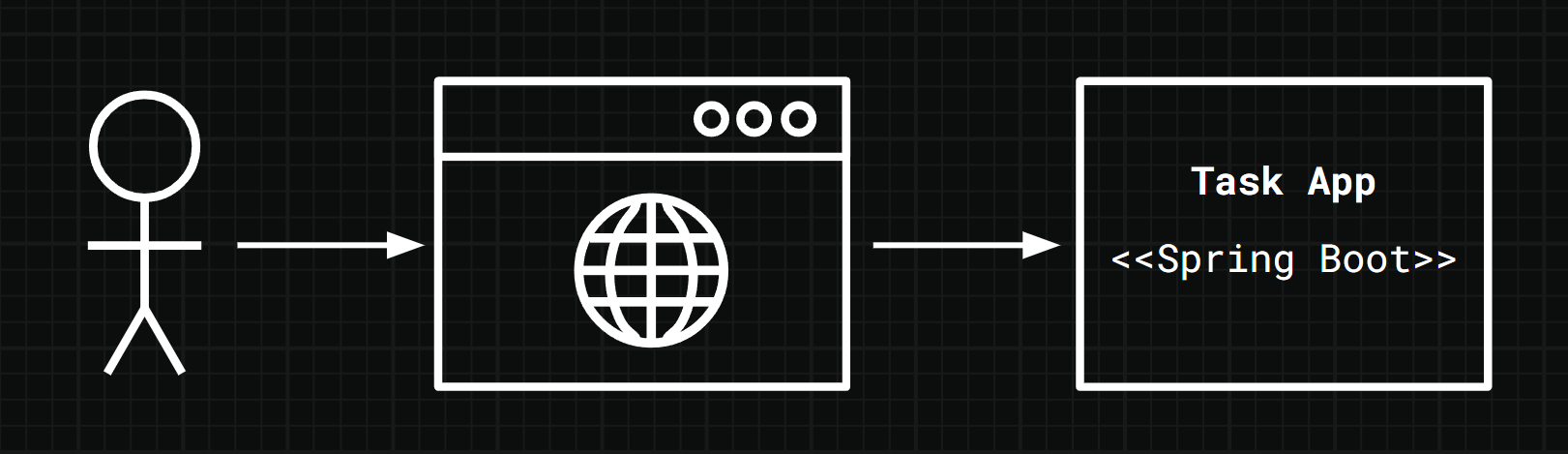
Let's explore each component in a bit more detail.
The Spring Boot App
The focus of this build is the Spring Boot app.
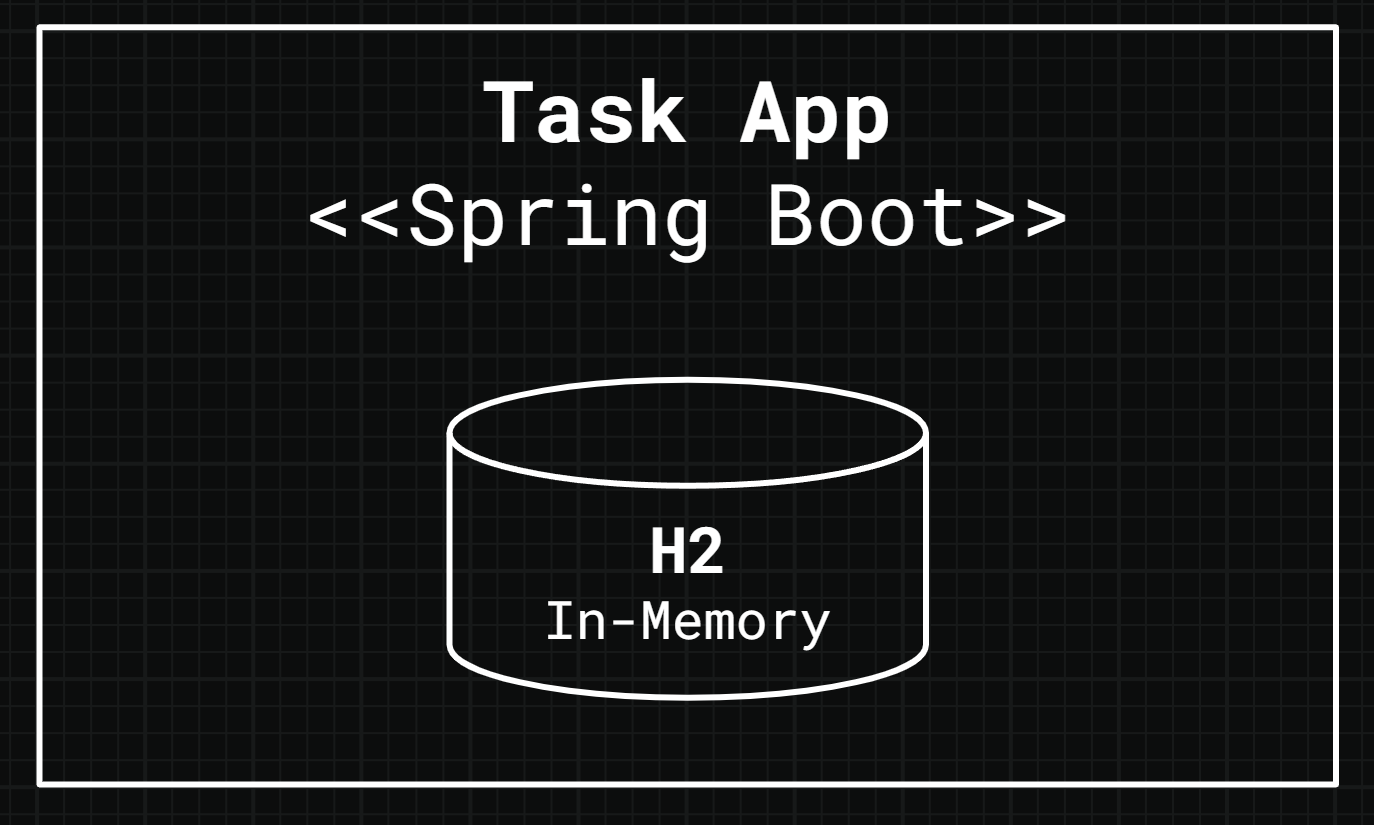
To keep things simple we'll store data in an in-memory H2 database. This runs automatically when we run our app, reducing the infrastructure we need to set up.
However, as the H2 database is in-memory, it means we lose our data when we restart our Spring Boot app. A worthwhile tradeoff to make things a little simpler for the moment.
As for running the Spring Boot app, we'll do it directly from IntelliJ.
This exposes the REST API to the User Interface.
The User Interface
I've built the UI for you, and packaged it up as a Docker image so it's easy to run.
Note
We'll cover how to run the UI later in the build!
Once it's running you'll interact with the UI using your browser. Clicking buttons and filling in forms sends requests to the Spring Boot app's REST API.
This causes the app to take actions based on the business logic we've coded, and return an appropriate response to the UI.
This is how the UI and Spring Boot app work together.
We'll explore REST API theory, and our app's REST API design in the next lesson.
Summary
- Explored the architecture of the Task App, including the Spring Boot app component, and the UI component.
