
Ui Testing
Now we've coded the list tasks endpoint, let's test creating a task again.
Let's head over to http://localhost:3000 in our browser.
List Tasks
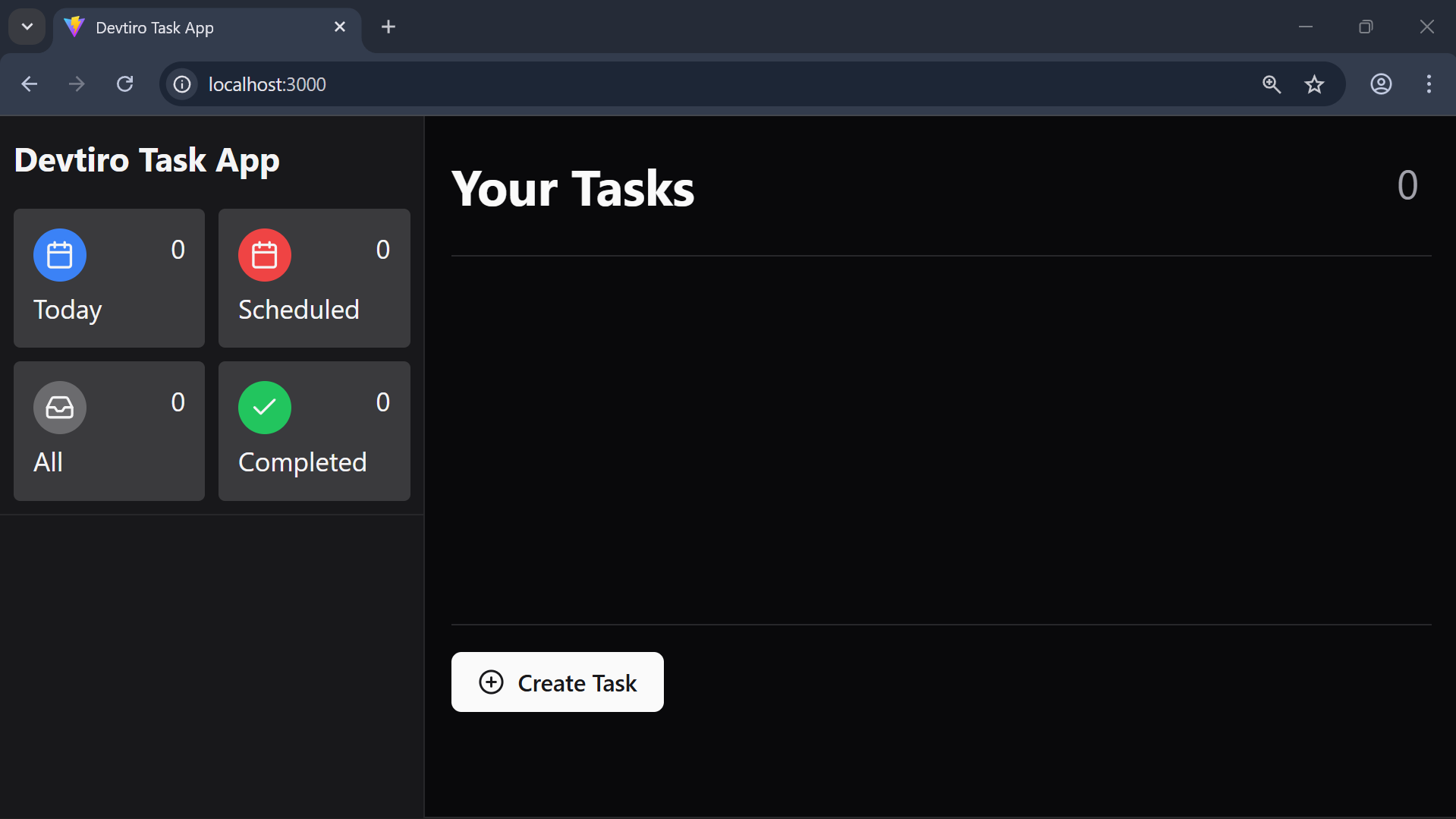
- Click the "Create Task" button in the bottom-left of the page. This brings up a dialog with a form to create a new task.
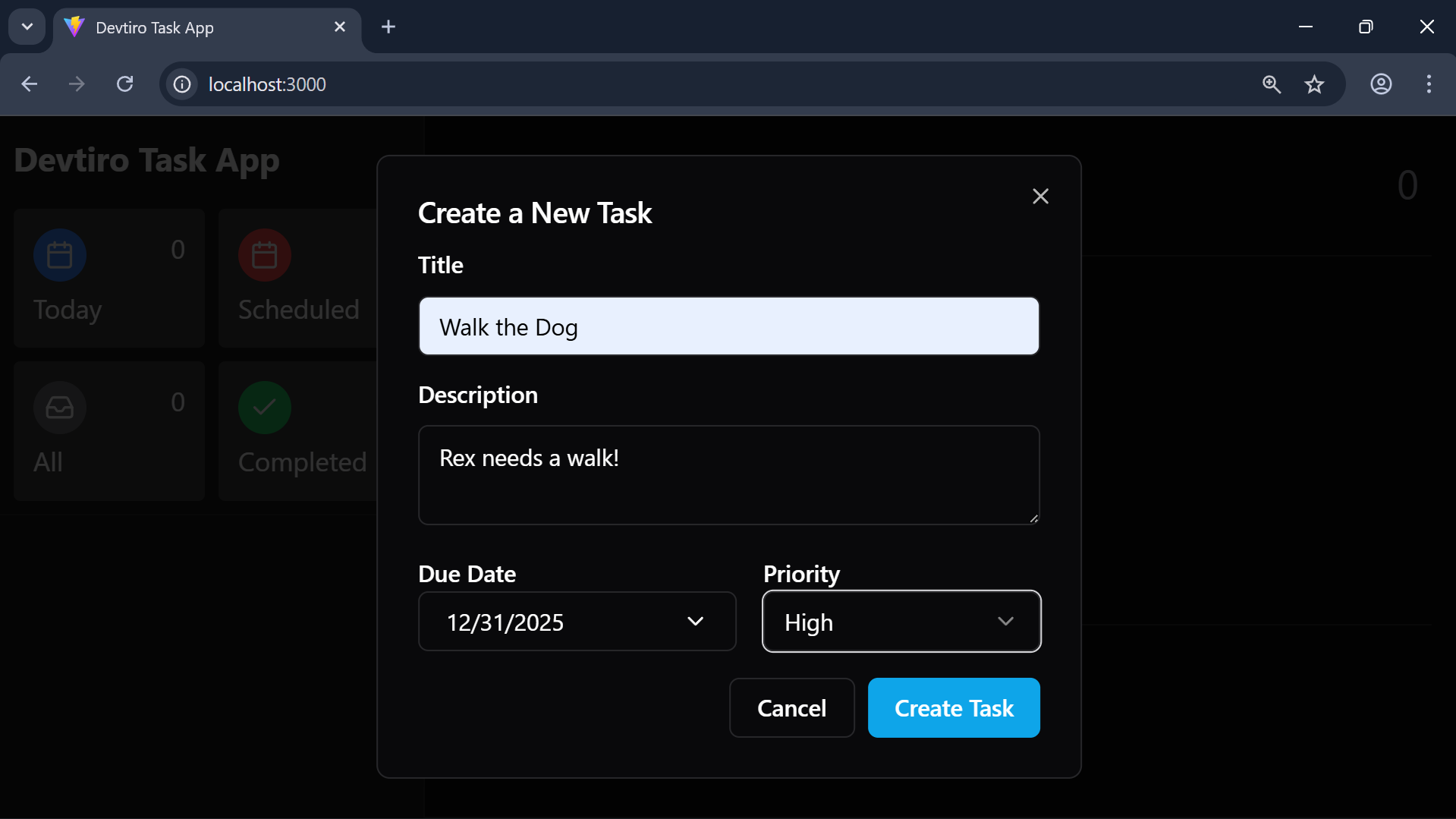
- Enter a title, optional description, optional due date, and select a priority. Click the "Create Task" button to create the task.
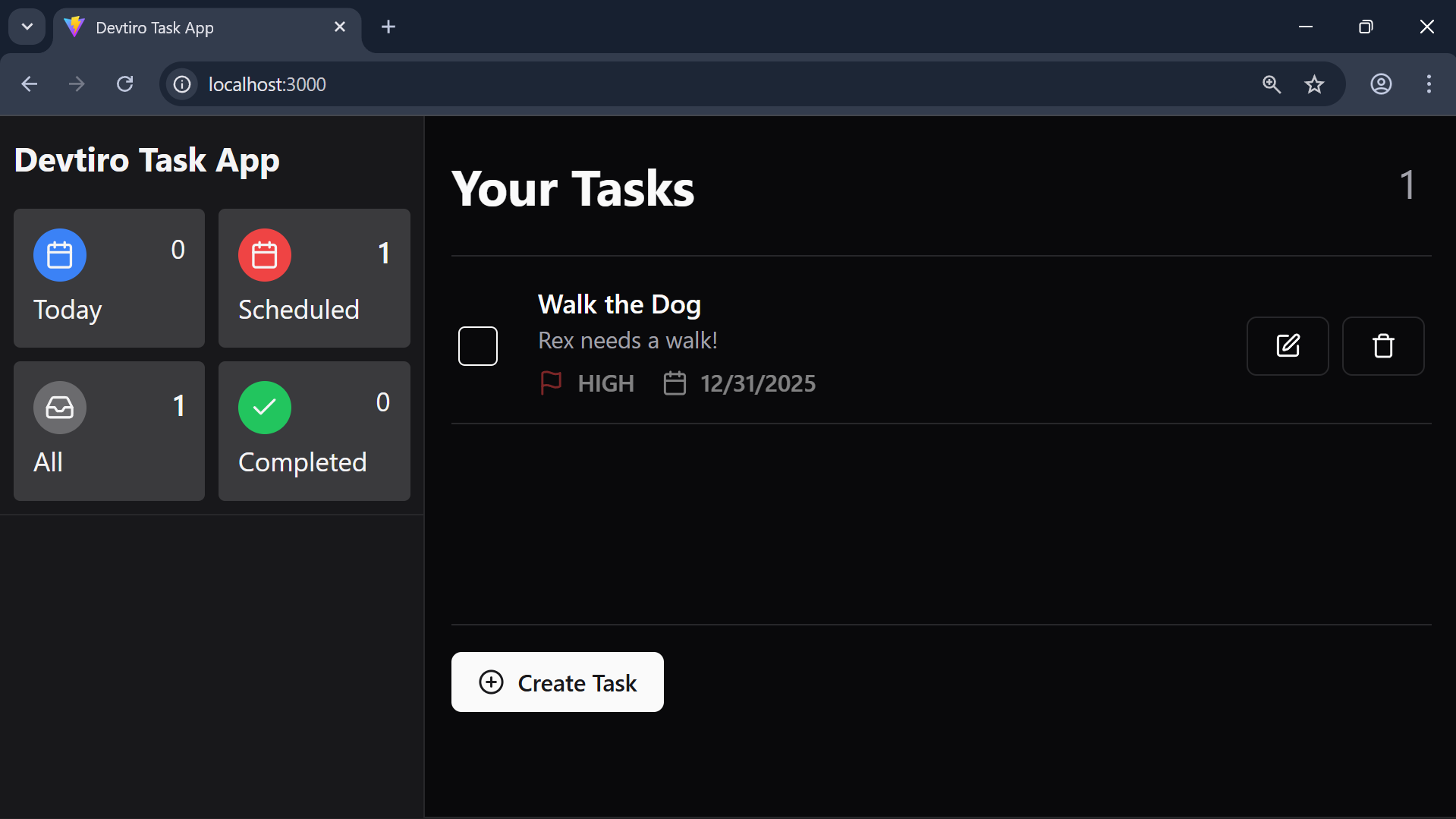
- You'll see a new task in the task list.
It looks like our create task and list task endpoints are working correctly!
Let's move on to coding the task update feature.
Summary
- Listed tasks using the UI.
