
UI Overview
Now let’s explore the user interface.
As this project is focused on building the Spring Boot backend, we’ll not be going into the user interface design flow. Instead we can jump right to the actual user interface, as I provide this for you.
The user interface is an MVP, or minimum viable product. There are countless ways it can be improved, that said it does meet the requirements on the project brief.
Once we’ve started the frontend we’ll see the Task Lists Screen.
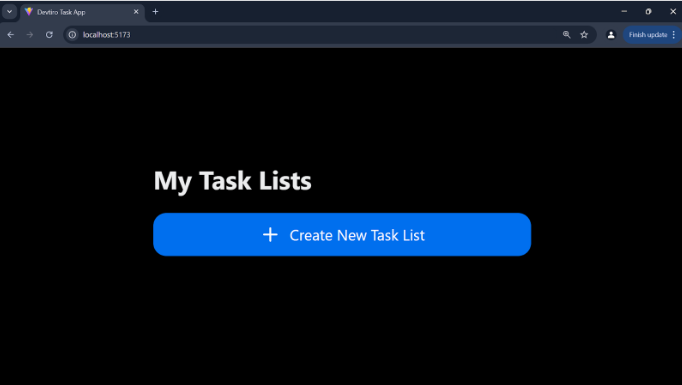
Clicking on the “Create New Task List” button gives us a simple form to create a new task list. Here we can specify the task list’s title and optional description.
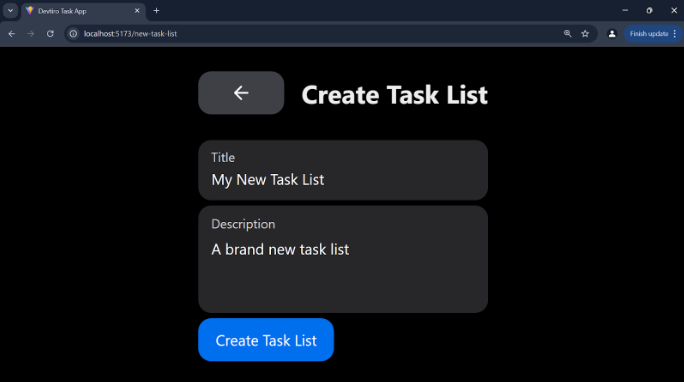
On filling in the form and clicking “Create Task List”, we are redirected to back to the Task Lists screen, but this time with a our new Task List showing:
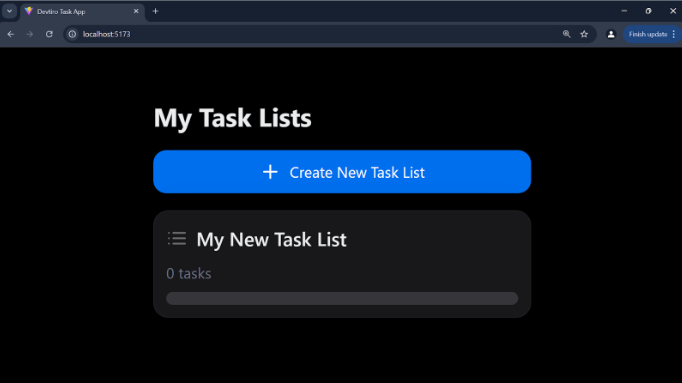
Clicking on the new task list will show us the Tasks screen, albeit with no tasks showing:
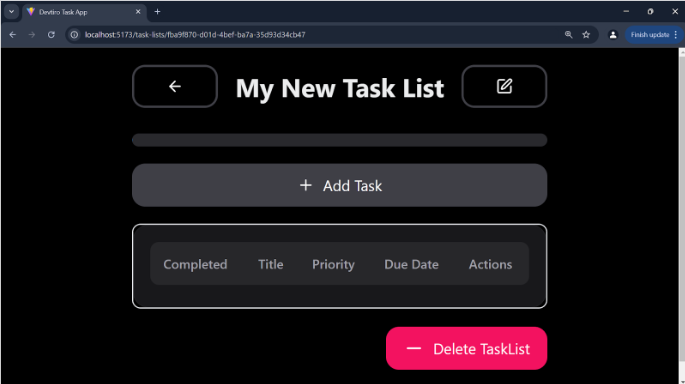
If we click the “Delete Task List” button in the bottom right, this will unceremoniously delete the task list.
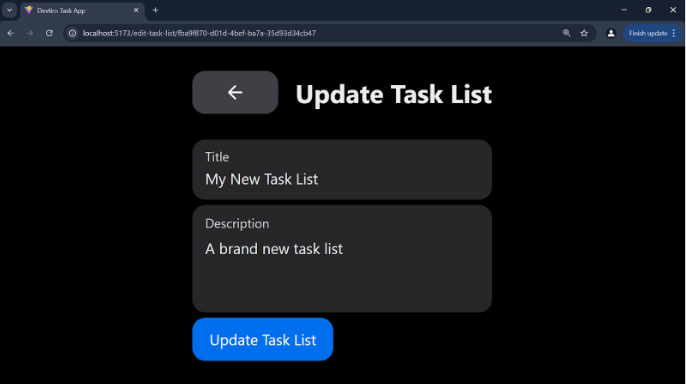
If we click the button in the top right, we are shown the edit Task List screen, which allows us to update an existing task list:
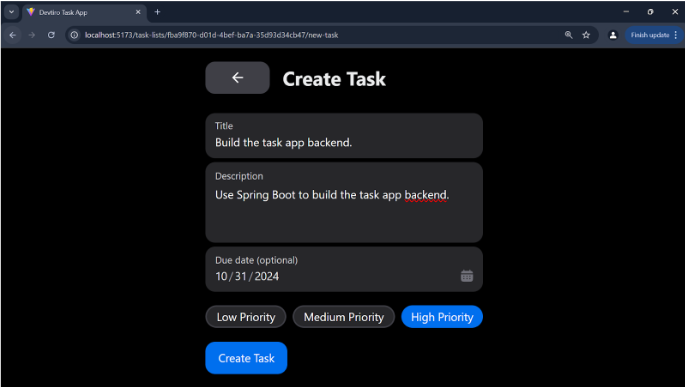
Clicking the “Add Task” button will present us with a form to create a new task on our task list:
Once complete, clicking on “Create Task” will redirect us back to the task list page, but this time with a task showing:
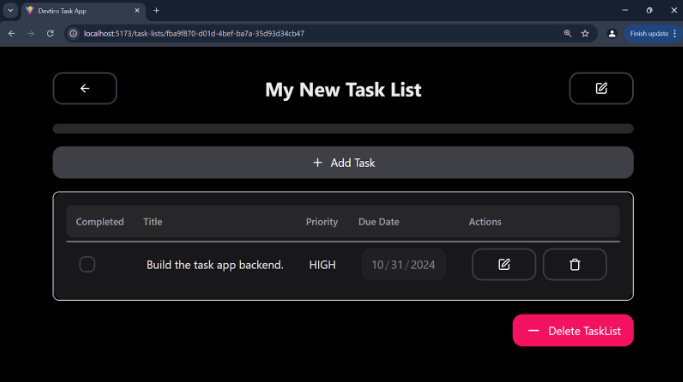
It is here that we can click the edit button next to the task to edit it, or the delete button to delete it.
Or, if we have complete the task, we can click the checkbox next to it:
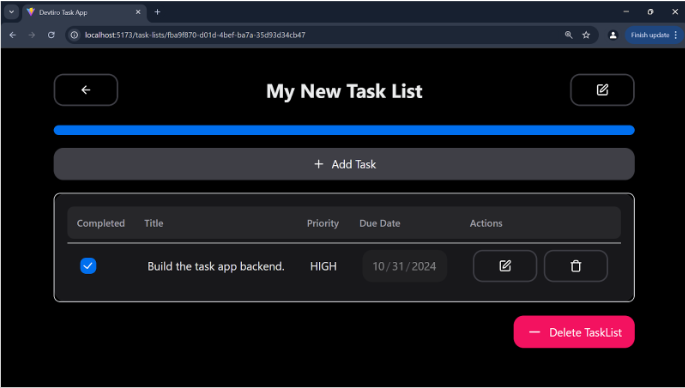
With that we can see the progress bar at the top fill up to represent all tasks in this task list being complete.
This is also true of the task lists screen too:
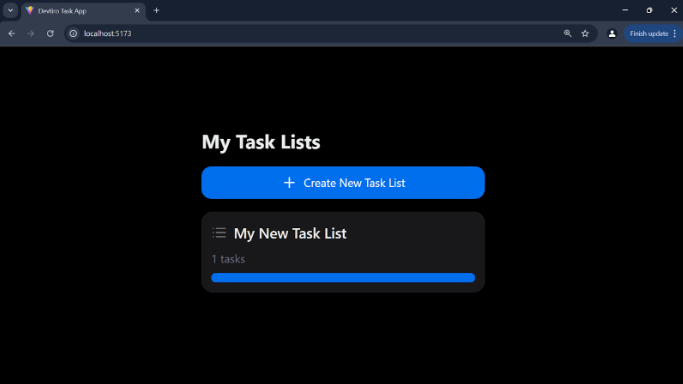
So although the UI could use some additional features, like data validation for a start, it appears to meet the requirements as set out, let’s shoot through the acceptance criteria and check:
-
A user can create task lists which can contain tasks.
-
Each task list should have a title and optional description.
-
A user can update task lists name and description.
-
A user can delete task lists.
-
Users can create new tasks on a task list.
-
Each task should have a title, optional description, due date, and priority level.
-
Users should be able to edit tasks.
-
Users should be able to delete tasks.
-
Users should be able to mark tasks as complete.
-
Users are informed of their completion percentage of tasks in a task list
Looks like all statements are true for the app with this UI, of course, this UI was using a completed version of the backend which we are to build, so let’s next cover the project’s architecture.
Summary
- The user interface has multiple screens to manage task lists and tasks
- It meets the acceptance criteria
- It's a minimal viable product – you will be able to break it
