
New Project
Let’s set up a new Spring Boot project.
By far the easiest way to do this is to use the Spring Initialzr, so let’s head over to start.spring.io in our browser:
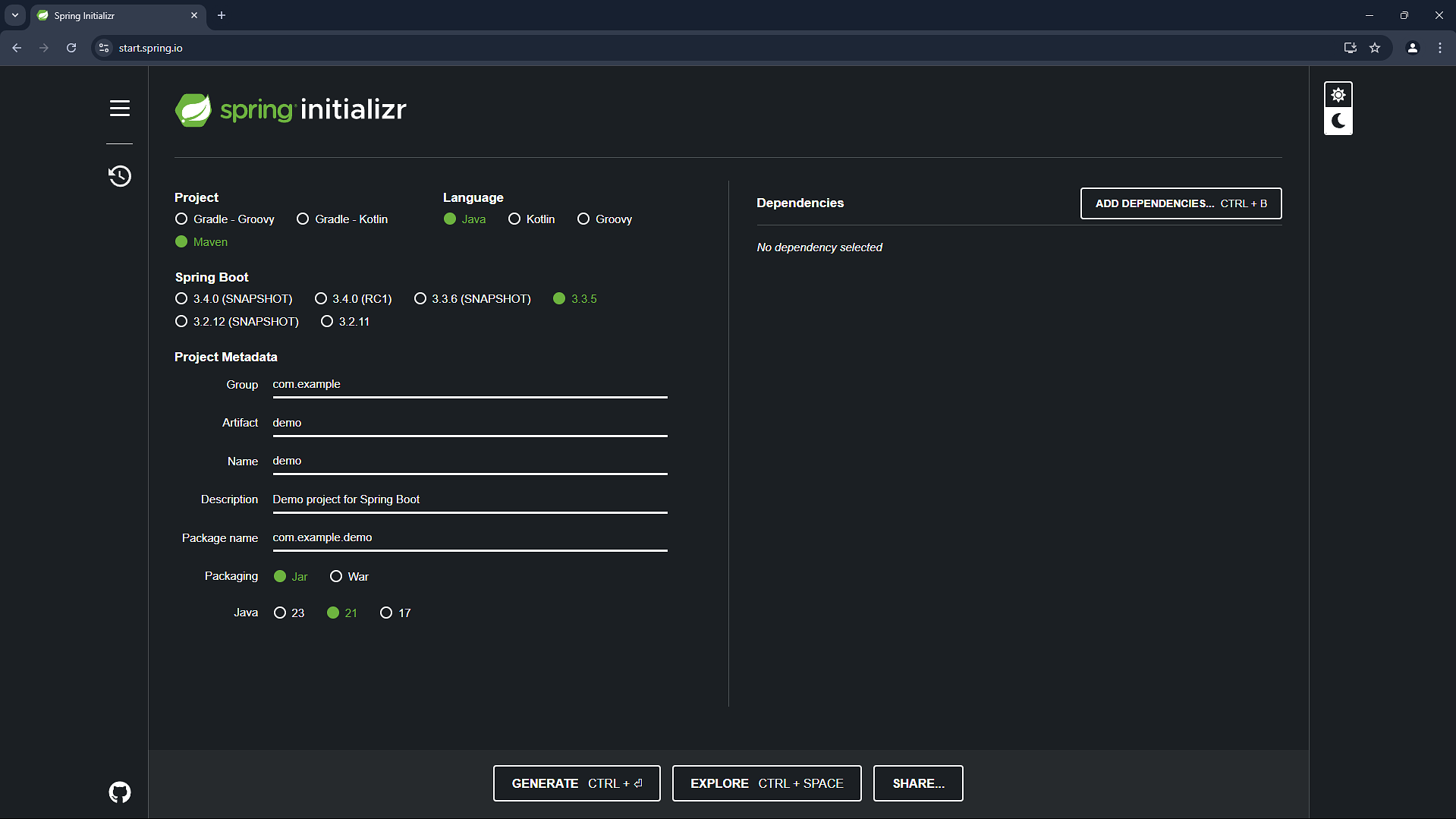
Here is where we’ll specify the configuration we want our project to use, and download a skeleton project using that configuration which we can use to build the task app.
We’ll be using Maven as the build tool for this project, so we’ll make sure Maven is selected.
We’ll also be using Java, so we’ll select that too.
For the version of Spring Boot, we’ll use the latest general release version – that’s the highest version that doesn’t have a SNAPSHOT, RC, M, or any other set of letters after it.
At the moment this is 3.3.5, but it may be a later version by the time you visit the initialzr. Although I can’t guarantee it of course, the approach is very, very likely to be the same.
The project metadata is largely just for identifying the app, I’m going to use com.devtiro for the group and tasks for the artifact – you’re welcome to use different values here.
That said we should select jar rather than war, as we don’t want to deploy this application to a separate application container, we’d rather that be bundled into the Jar.
For the Java version I’m going to select 21 at the latest long term support (LTS) release version. Again, you’re welcome to select a different version, but there may be some tweaks you need to make to the project. Be sure to check in with the community if you get stuck.
For dependencies we’ll select Spring Data JPA and PostgreSQL, so we can interact with our database using Java objects.
We’ll also select H2 so we can use this in-memory database in our tests.
We’ll also select Web as we’ll be building a REST API. In theory, we could select Reactive Web instead. This would allow us to use the reactive programming model to potentially get more throughput and lower resource consumption, but at the risk of a steeper learning curve and complex app.
Furthermore, I don’t think a task app is going to be in dire need of more throughput, so let’s use the traditional web package for this project.
Summary
-
Used Spring Initialzr (start.spring.io) to create a new Spring Boot project
-
Selected key project configurations
-
Added required dependencies
-
Chose traditional web package over reactive for simplicity and learning purposes
